GewoonChatten.nl
ImportantNew chatbox: use a valid email address

When the new chatbox launches, registered members will receive an email with the latest information. Creating a new account? Use a valid email address: a verification code will be sent there to complete your registration. No code received? Check Spam/Junk first. Still nothing? Please contact us.

Contact us
Chat guide

From the first click to a real conversation

GewoonChatten is designed to make the first step easy. Start as a guest and decide later whether you want a permanent profile.

✓100% free✓Safe & moderated✓Mobile friendly
GewoonChatten.nl
CURRENT CHAT ROOMSBased on current Chatsysteem
LIVE DATA

These are the rooms that actually exist

No example rooms or fictional chatters: this layout is based on the current Chatsysteem code. Live counts are only filled in when the chat API can provide them safely.

Mainroom16+
— online

The general 16+ room. Guests and registered members can enter.

Guest access
Darkroom18+
— online

18+ room for registered members with valid age verification. Names of people inside are never published publicly.

Registered + verified 18+
Speelcafé16+
— online

The games room for shared quizzes and chat games. Registered and verified members only.

Registered + verified

Privacy ruleAs a guest you can use Mainroom. Speelcafé requires a registered and verified account; Darkroom additionally requires 18+ verification.

Start as a guest

Choose a nickname and explore the chat without creating a full account first.

Three current rooms

Mainroom allows guests; Speelcafé requires registration and the Darkroom is only for verified 18+ members.

Create a profile later

Registration gives you a recognisable profile and additional community features.

REAL CHAT INTERFACE

Two real screens. Each with a different purpose.

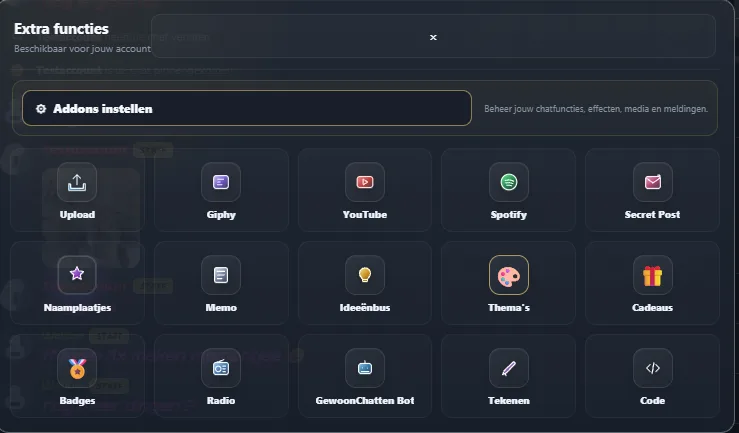
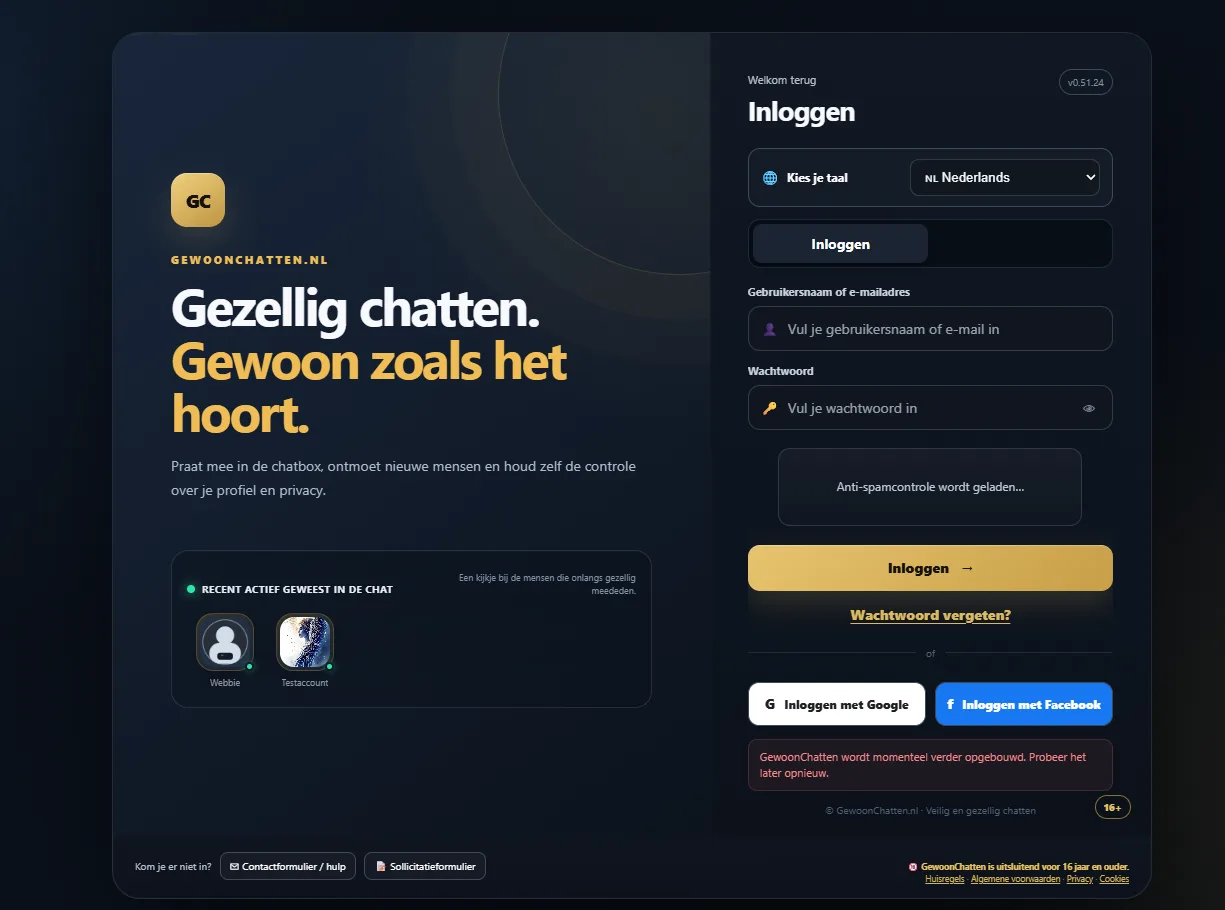
We do not repeat chat screenshots across the entire site. Only this explanation page shows two current screens: entering the chat and using its tools.

chat.gewoonchatten.nl
GewoonChatten Chatsysteem toegangsscherm
01
Getting inThe current entry screen for sign-in, guest access, registration and language selection.
Chat system
GewoonChatten Chatsysteem functies
02
Using featuresThe compact tool layer for media, uploads and additional actions.

1. Enter as a guest

Guest access is available for the Mainroom. Speelcafé and the Darkroom are not available to guest accounts.

2. Mainroom, Speelcafé and Darkroom

The current chat has three rooms: Mainroom is the general 16+ room for guests and members; Speelcafé is for registered members; the Darkroom is 18+ and only for registered members who pass the age check.

3. Profile and registration

Returning visitors can register for free. A profile helps you return with a recognisable identity and use available social features.

4. Private messages and friends

Where roles and settings allow it, you can have private conversations and add contacts. Keep private conversations respectful and use blocking or reporting when needed.

5. Chat options and media

Depending on your account and settings, options can include notifications, emoji, GIFs, media, profile appearance and other preferences.

6. Moderation and reports

Staff can help with questions and reports. Community rules apply throughout the areas where they are relevant.

Frequently asked questions

Want to see it for yourself?

Open the chat as a guest or register for free if you want a permanent profile right away.

Do I have to register first?

Not for the Mainroom: you can start there as a guest. Speelcafé and the 18+ Darkroom require a registered account.

Can I chat on mobile?

Yes. The chat is designed for mobile, tablet and desktop.

Which rooms are available?

Mainroom (guest and member, 16+), Speelcafé (registered members) and Darkroom (registered and verified 18+).

Want to see it for yourself?

Open the chat as a guest or register for free if you want a permanent profile right away.